
WhatsCamp – WhatsApp Marketing Campaign for WordPress
Introducing the ultimate WhatsCamp – WhatsApp Marketing Campaign plugin for your business! With our powerful and user-friendly tool, you can easily create and manage WhatsApp marketing campaigns from WordPress Dashboard to drive more engagement and sales for your business.As one of the most popular…
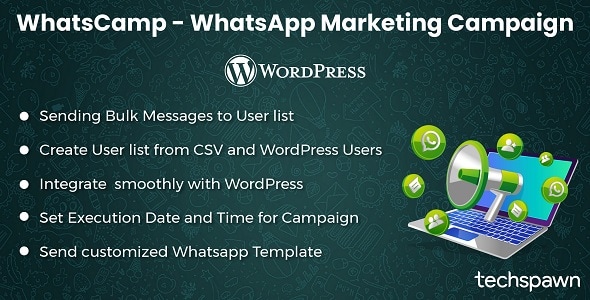
- Create beautiful and engaging Whatsapp message campaigns that are tailored to your audience
- Easily segment your User list to target specific groups of users
- Track and analyze the status of your campaigns with detailed analytics and reporting
- Integrate with your existing website for seamless promotion
- Automate your campaigns to save time and effort
- Create and send bulk WhatsApp messages to your target audience
What it does
Introducing the ultimate WhatsCamp – WhatsApp Marketing Campaign plugin for your business! With our powerful and user-friendly tool, you can easily create and manage WhatsApp marketing campaigns from WordPress Dashboard to drive more engagement and sales for your business.
As one of the most popular messaging apps in the world, WhatsApp has become a key platform for businesses to connect with their customers and promote their products and services. With our WhatsApp Marketing Campaign plugin, you can take advantage of this powerful platform to reach your target audience, increase brand awareness, and drive sales.
Compatible with: WordPress 6.5 to 7.1, WooCommerce 8.2 to 11.2, PHP 7.4 or later. Supports HPOS and Cart/Checkout Blocks.
Features of WhatsCamp – WhatsApp Marketing Tool for WooCommerce Plugin:
- Create beautiful and engaging Whatsapp message campaigns that are tailored to your audience
- Easily segment your User list to target specific groups of users
- Track and analyze the status of your campaigns with detailed analytics and reporting
- Integrate with your existing website for seamless promotion
- Automate your campaigns to save time and effort
- Create and send bulk WhatsApp messages to your target audience
- Schedule messages in advance for timely delivery
Send Bulk Messages to User list

The powerful “Bulk Message” feature for your WhatsApp Marketing Campaigns! With this feature, you can easily reach your target audience, increase brand awareness and drive sales.
With the “Bulk Message” feature, you can easily send the same message or series of messages to a large number of recipients at once, saving you a significant amount of time and effort, and also allowing for a more targeted and efficient marketing campaign.
Create User list from CSV and WordPress Users

This feature allows you to easily create a user list from a CSV file and existing users. This allows you to quickly add multiple users to your list and target specific groups of users.
To use this feature, simply upload your CSV file containing the user information, such as name, number, and any other relevant data. Our plugin will then automatically create a new user list.

In addition to importing users from a CSV file, you can also add existing users to your list. This allows you to easily target specific groups of users, such as customers who have made a purchase or subscribed to a newsletter.
Overall, this feature makes it easy to manage and target users on your list. Whether you’re running a marketing campaign or just need to send out an important message to specific groups of users, our user list feature makes it simple and efficient.
Automate your Campaigns to Save Time and Effort

With this feature, you can automate your campaigns to save time and effort. This allows you to set up your campaign once and have it run on a schedule without any additional input needed.
You can set up your campaign to send out whatsapp messages to the users on your list at specific times and intervals.
Overall, automating your campaigns with our feature can help you save time and effort by eliminating the need to manually send out messages. It also allows you to reach your audience at the right time, making your campaigns more effective.
Send Customized Whatsapp Template

This feature allows you to send customized WhatsApp template messages to users on your list. This allows you to personalize your messages and reach your audience directly on their mobile devices.
To use this feature, you’ll need to have a WhatsApp Business account and API credentials. Once you’ve set that up, you can create a template message and customize it with fields such as the user’s name or other relevant information.
You can then send the template message to users on your list by using our plugin to trigger the message.
Overall, this feature allows you to reach your audience on WhatsApp, a popular messaging platform, with personalized, automated messages. It can help you increase engagement and conversion rates, as well as improve customer satisfaction by providing a more personal touch to your communication.
Dashboard to Get an Insight of Campaigns

With our new feature, you can access a dashboard to get insights into your campaigns. This allows you to track and analyze the performance of your campaigns in real-time.
The dashboard provides a variety of metrics which will help you to understand how many campaigns are running.This allows you to identify trends and patterns, and make adjustments to your campaigns to improve their performance.
Overall, the dashboard provides valuable insights into your campaigns and helps you to make data-driven decisions to improve their effectiveness. It allows you to optimize your campaigns in real-time, and make the most of your marketing efforts.
Reach your customers where they are – on WhatsApp. Try our WhatsApp Marketing Campaign plugin today and start seeing results!
Our user-friendly interface makes it easy for you to set up and manage your WhatsApp marketing campaigns, even if you have no prior experience with WhatsApp or marketing.
Don’t miss out on the opportunity to connect with your customers on the most popular messaging platform in the world. Try our WhatsApp Marketing Campaign plugin today and start seeing results! Boost your customer engagement and increase your sales with the power of WhatsApp Marketing.
Disclaimer
WhatsApp is a trademark of official WhatsApp Inc and This application is not endorsed or certified by WhatsApp Inc. It should be used for communication and business purposes only, not spamming. The developer is not responsible if any contact is restricted, blocked, or banned by WhatsApp Inc. The application uses the official WhatsApp Cloud API which is available on Developer Center. However, WhatsApp may release updates at any time which could cause the API to stop working until an update is released. The developer does not guarantee that the compatibility of the script with WhatsApp will remain forever and the developer is not responsible for any problems arising from WhatsApp API or policy changes. No refunds will be provided for these issues.
Have any Question?
Feel free to ask our Support if you looking for any additional features Or have Pre-Sale Question for WhatsCamp – WhatsApp Marketing Campaign Plugin for WooCommerce Plugin
For Free configuration support, email [email protected]
Read more about us at: www.techspawn.com




Changelog
= 1.1.0 (unreleased) =
* Change: WhatsApp Cloud API calls now use Meta Graph API v27.0.
* New: named template parameters and separate mappings for each template language.
* Setup: template selections now use Meta IDs. Existing campaigns must reselect the intended template/language and save its parameter mapping before sending; old mappings are not migrated.
* Fix: template sends match approved components, with image, video and document headers using a public HTTPS URL or Meta media ID.
* Fix: dynamic URL buttons use configured suffixes at their actual button positions.
* Fix: campaign logs and CSV exports retain Meta error details, error subcodes and trace IDs, including rate-limit and delivery failures.
* Fix: template discovery follows pagination, reports API errors and recognizes connected accounts with no templates.
* Fix: classic checkout retries save the final checked or unchecked consent state; failed payments in either checkout no longer enroll an account before a successful order.
* Fix: unchecking checkout opt-in clears the order's consent; draft block-checkout updates no longer enroll a customer account before checkout is submitted.
* Compatibility: block checkout opt-in requires WooCommerce 8.9 or newer; use classic checkout on WooCommerce 8.2-8.8.
* Security: webhooks only update consent and delivery reports for the configured WhatsApp business phone number.
* Fix: the WhatsCamp menu link no longer shows 'Cannot load'.
* Fix: STOP/START webhooks are acknowledged only after consent is saved; duplicates and older events cannot reverse the latest preference. STOP takes precedence when timestamps are identical.
* Fix: an edited campaign waits for in-flight outcomes before rebuilding, so rate-limit rejections remain eligible without retrying uncertain sends.
* Improvement: bulk sends return immediately, while list and WooCommerce audiences initialize in bounded background steps with persisted progress and deduplication.
* Fix: editing a campaign fences out older audience enumeration and pending batches, so removed recipients and the old schedule cannot be restored.
* Fix: edits reconsider contacts previously skipped for STOP after they reply START, while keeping prior sends and uncertain outcomes.
* Fix: delivery, read and failure receipts arriving before the send response are saved and reconciled with the message report.
* Fix: billing_first_name and last_order_id can be selected and reopened in template mappings.
* Fix: deactivation and uninstall cancel all pending WhatsCamp Action Scheduler jobs.
* New: background sending. Campaigns and Bulk Message are queued and sent in batches (Action Scheduler from WooCommerce, or WP-Cron), so big lists no longer time out and nobody gets the same campaign twice. Settings: messages per batch and delay between messages.
* New: the Daily Message Limit setting is now enforced; the rest of the queue continues the next day.
* New: per-recipient message log and campaign report (sent, delivered, read, failed, skipped, top error codes, recipient list, CSV export). Campaigns list shows sent / recipients.
* New: Meta webhook for delivery and read receipts and STOP / UNSUBSCRIBE opt-outs (START opts back in). Callback URL, verify token and App Secret in Admin Settings; events must carry a valid Meta signature.
* New: "WooCommerce customers" audience for campaigns and bulk messages, guests included: filter by order status, recent orders, minimum orders, minimum spend, purchased products or categories, billing country and opt-in. "Count recipients" preview.
* New: WhatsApp marketing opt-in checkbox at checkout (classic and block checkout), with your own label.
* New: image, video and document header templates (header media URL on Manage Templates).
* New: placeholders billing_first_name and last_order_id; admin_phone and support_contact now use the business WhatsApp number.
* Change: editing a campaign that is part-way through sending drops its not-yet-sent recipients and waits for the new schedule; at the new time it sends to the new audience and skips anyone who already got it.
* Fix: a send interrupted by a server timeout or restart is marked failed ("Interrupted while sending") instead of being stuck, and the campaign still completes. It is not retried, to avoid a duplicate message.
* Fix: replying START now also opts back in contacts who opted out with WhatsCamp 1.0.x.
* Fix: campaign times use the WhatsCamp timezone setting (or the site timezone) without changing PHP's timezone for the whole site.
* Fix: dashboard "Active" and "Completed" counts were swapped; the monthly chart no longer adds up different years.
* Fix: the Edit Campaign screen now preselects the campaign's own user list.
* Change: WhatsApp Cloud API calls use Graph API v27.0 (was v14/v15) through the WordPress HTTP API with a 20 second timeout, and the template list is cached for 10 minutes during sends.
* Change: the old /wp-json/wc/v3/unsubscribe endpoint is removed; STOP replies now arrive through the Meta webhook.
* Uninstall: deleting the plugin removes its settings, tables and contact meta.

= 1.0.4 =
* Security: every dashboard action (settings, user lists, campaigns, templates, bulk send) now requires an administrator and a valid security token; visitors and customers can no longer call them.
* Security: the WhatsApp API response is no longer written to a public file in the site folder.
* Security: escaped the list ID on the "add users from CSV" screen.
* Fix: a campaign with an opted-out (STOP) contact no longer stops at that contact and re-sends to the earlier contacts every minute; opted-out contacts are skipped.
* Fix: the billing and shipping phone fallback now works for contacts without a WhatsCamp phone number.
* Fix: editing a contact on the user list no longer clears the contact's country.
* Fix: adding a single contact whose mobile number already exists no longer corrupts the list.
* Fix: editing a campaign now saves its last-edited time.
* Fix: deleted WordPress users in a list, unmapped templates and API errors no longer stop a send or log PHP warnings.
* Fix: User Lists screen no longer crashes on PHP 8 when a list has no contacts.
* Fix: dashboard screens no longer call the WhatsApp API or log warnings before the API credentials are saved.
* Fix: no more requests for missing wamc-public.css / wamc-public.js on every front-end page.
* Fix: the campaign cron is removed when the plugin is deactivated.
* Compatibility: PHP 7.4 to 8.5, WordPress 7.1, WooCommerce 11.2 (HPOS and Cart/Checkout Blocks declared compatible; WhatsCamp does not touch orders or checkout).
* Compatibility: translations load on init as WordPress 6.7+ expects; removed a deprecated WooCommerce legacy API hook.

= 1.0.3 =
* Fix: adding contacts from a CSV file to an existing list (reads the sample file's columns; existing users are updated instead of skipped).
* Fix: adding a single contact to an empty list.
* Fix: dashboard monthly chart on sites with a custom database table prefix.

= 1.0.2 =
* New: message log with today's message count and a monthly chart on the dashboard.
* New: sample CSV download on the import screen; current date and time in the sidebar.
* Fix: importing users into a user list.
* Fix: contacts already in a list are pre-selected when adding WordPress users; billing or shipping phone shown when no WhatsCamp phone is set.
* Compatibility: PHP 8.2.

= Version 1.0.1 =
[Add] - Opt out / Unsubscribe for campaigning triggers

= Version 1.0.0 =
   - Initial Realase.
Reviews
You may also like
All products Shipping and deliveryWooCommerce Shipping Pro for FedEx$39.00
 Sync and paymentsSquarify - WooCommerce Square Sync and Payments Original price was: $100.00.$99.00Current price is: $99.00.
 Booking add-onBookUpp - Paypal Payment Gateway AddonFree
 Stock and locationsMulti Location Manager Dashboard Addon$25.00
Reviews
There are no reviews yet.